Sequences get custom variables, signatures, template copying, and share links
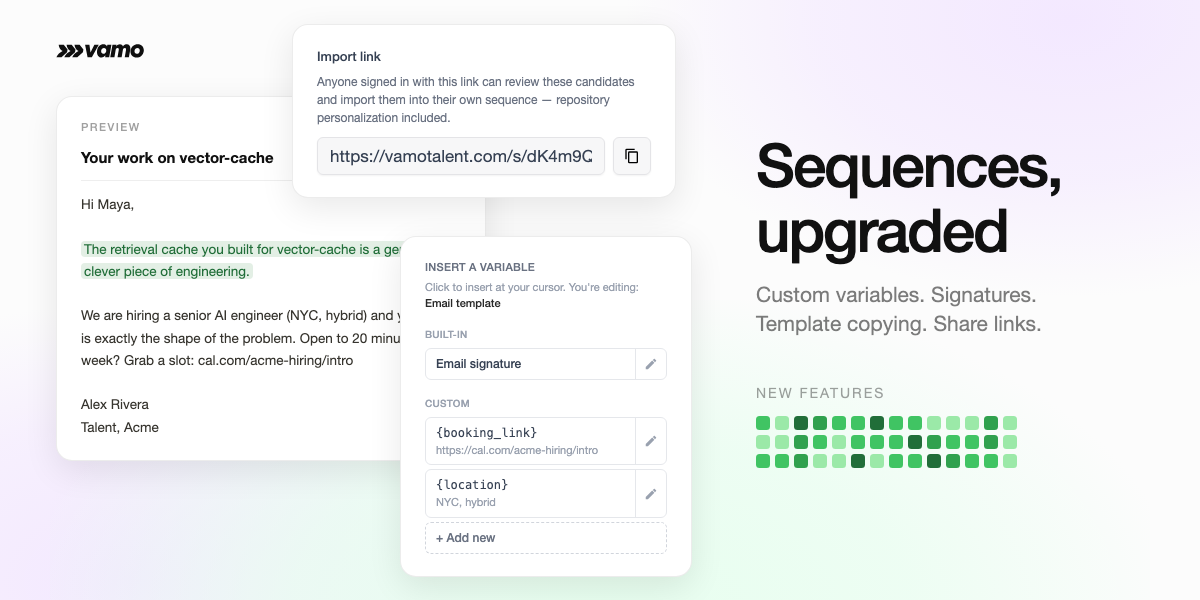
A set of sequence updates shipped this week. Sequences now hold reusable role details and a signature, a new sequence can start from a copy of an existing one, and a curated list can be handed to another Vamo account with a single import link, candidate matching included.

Vamo finds engineers based on their public GitHub work. Book a demo and we'll set up a sequence together on a role that's open right now.
Custom variables
Every role comes with details that hold steady across a search: a booking link, a job description, a location, a team page. Sequences now store these as named variables, defined once and available throughout the sequence. When something about the role changes, update the value in one place and everything stays consistent.
To manage them, open a sequence and go to the Settings tab, where the Variables section lists each one with its current value. They are also available beside the editor on the Emails tab: + Add new creates one, and the pencil edits a value. Any variable still missing a value is flagged before sending, so nothing goes out with a blank where a link should be.
Signatures
Each sequence carries its own email signature. Set it from the sequence's Settings tab with Edit email signature. Previews, test sends, and live sends all render identically, so what shows in the preview is what arrives.
Copy a working setup
In Sequences, click to create a new sequence and pick from three starting points: Start from blank, Copy existing, or Import from link. Copy existing brings over the full setup from any sequence in the project, including messaging, timing, and variables. A setup that performs well becomes the starting point for the next role.
Share a sequence with one import link
A curated list can now move to any other Vamo account with a link. The import keeps each candidate's matched repository, the connection between a candidate and the work that surfaced them, so the receiving account picks up the list with everything that made it valuable.
Sign in and open the sequence
Copy the import link
Send it
Review and import
The first use was real: handing a 316-candidate senior AI engineer list to a customer account for sending, with all the matching that made the list worth curating.
Import from the New Sequence modal too
Also in this release
- Mark replied. When a candidate responds somewhere other than email, LinkedIn usually, a row action moves them to Contacted marked as replied and closes out their sequence cleanly.
- Email connection alerts. The sidebar now shows a warning with a reconnect path when a linked Gmail or Outlook account loses its connection.
- Exports keep matches. Exported sequences now store repository hints, so a re-imported CSV keeps its candidate matches.
What to expect
Sequence setup is easier to repeat and easier to keep accurate: copy a setup that works, adjust the variables, set the signature. Sharing a list across accounts takes one link, and the matching comes through with it.